| Getting started |  Print now
 | ||
|
| |||

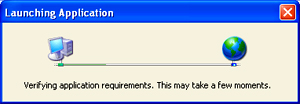

If you are running explorug.net for the first time, it will take some time to download the designs and rooms that your vendor has hosted for you to see. Depending upon the number of designs and rooms that the vendor has hosted, the time you have to wait varies. This is a one-time download, so explorug.net will start faster in future sessions.
Once explorug.net finishes downloading the designs, the main window appears, and you can start using explorug.net. In some cases, the main window does not appear in the front, but you can see the tab in the taskbar. Click on the tab and the application will appear in front.

Enjoy our rug customization and visualization.
Custom Rug Designs Software is optimized to operate with Internet Explorer and Microsoft .NET Framework.